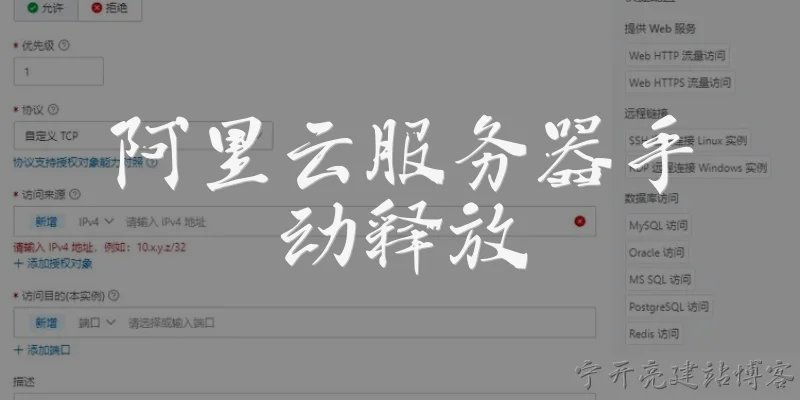
Manually release Alibaba Cloud server:How do I manually release an Alibaba Cloud ECS instance?
Q: How do I manually release an Alibaba Cloud ECS instance?
A: To manually release an Alibaba Cloud ECS instance, log in to the ECS console and navigate to the Instances page. Locate the target instance, click its ID to open the details page, and choose Release. If the instance has a subscription billing method, you cannot release it before expiration; you can only enable auto-release or wait for expiry. For pay-as-you-go instances, select Release Now and confirm. You may also need to set the release behavior for the system disk and data disks. Alternatively, use the Alibaba Cloud CLI with the command `aliyun ecs DeleteInstance --InstanceId i-xxx`. Before releasing, back up important data because the operation is irreversible. After release, the instance and its associated resources such as public IP and snapshots may be cleaned up automatically, so plan carefully.
Q: What are the prerequisites for manually releasing an Alibaba Cloud server?
A: Before manually releasing an Alibaba Cloud server, ensure the instance is in a state that allows release. For pay-as-you-go instances, no outstanding bills should exist, and the instance should not be locked by security or operation restrictions. If the instance is a subscription type, manual release is generally unavailable until it expires, but you can enable auto-release. Also, detach any elastic IPs (EIPs) if you want to keep them, because releasing the instance may also release its public IP. Back up data using snapshots or images, and stop any running services to avoid data corruption. Check whether the instance is part of a scaling group or load balancer; remove it first. Finally, confirm you have the necessary RAM permissions to delete ECS resources, such as the AliyunECSFullAccess policy.
Q: What hhtml">appens to data and disks when I manually release an Alibaba Cloud ECS instance?
A: When you manually release an Alibaba Cloud ECS instance, the system disk is deleted unless you have enabled the release retention setting or converted it to a pay-as-you-go cloud disk. Data disks are also released by default, but you can choose to retain them by setting the DeleteWithInstance attribute to false before release. Any manual snapshots you created remain in the snapshot list and continue to incur storage fees. Automatic snapshots may be deleted based on the retention policy. The public IP address, if assigned automatically, is released and cannot be recovered. Elastic IPs (EIPs) are detached but not released if you choose to keep them. To avoid data loss, always create a snapshot or custom image before releasing. After release, the instance cannot be restored, so verify your backup strategy.
Q: Can I undo a manual release of an Alibaba Cloud server?
A: No, a manual release of an Alibaba Cloud ECS instance is irreversible. Once the release operation is confirmed, the instance enters the Stopped or Released state, and its resources are gradually reclaimed. You cannot cancel or undo the release after it has been executed. If you accidentally release an instance, you may be able to recover data only if you had created a snapshot or custom image beforehand. In that case, you can use the snapshot to create a new instance or roll back a disk. Alibaba Cloud does not provide a recycle bin for released instances. To prevent accidental releases, enable release protection for important instances. This feature blocks manual release and requires you to disable protection first. Always double-check before confirming a release, especially in production environments.
Words of experience
Common scenarios of "Manually release Alibaba Cloud server"
【用户】 你好,我有一台阿里云服务器想释放掉,应该怎么操作?
【客服】 您好,释放阿里云服务器(ECS实例)可以通过控制台或API进行。请问您是想通过控制台手动释放吗?
【用户】 是的,通过控制台。具体步骤是什么?
【客服】 首先登录阿里云ECS控制台,在左侧导航栏选择“实例与镜像” > “实例”。找到目标实例,在操作列点击“更多” > “实例状态” > “释放”。
【用户】 释放前需要注意什么?比如数据会丢失吗?
【客服】 释放实例后,系统盘和数据盘的数据都会被永久删除,无法恢复。请确保您已备份重要数据。另外,实例绑定的公网IP、快照等也会受到影响。
【用户】 那如果我想保留数据,有什么办法?
【客服】 您可以先创建自定义镜像或快照来备份数据,或者将数据盘卸载后保留。但释放实例时,系统盘会随实例一起释放。
【用户】 明白了。释放时有什么选项吗?比如是否立即释放?
【客服】 是的,释放时您可以选择“立即释放”或“定时释放”。立即释放会马上删除实例,定时释放可以设置一个时间点自动释放。
【用户】 如果我选择立即释放,会立即停止计费吗?
【客服】 对于包年包月实例,释放后不会退款;对于按量付费实例,释放后立即停止计费。具体请参考计费规则。
【用户】 好的,那释放后还能恢复吗?
【客服】 不能。实例释放后无法恢复,但如果您之前创建了自定义镜像,可以用镜像重新创建实例。
【用户】 我还有一个问题:释放实例时,绑定的弹性公网IP会怎样?
【客服】 如果弹性公网IP是绑定在实例上的,释放实例时,您可以选择是否保留弹性公网IP。如果不保留,它会随实例一起释放。
【用户】 那安全组和VPC呢?
【客服】 安全组和VPC不会随实例释放而删除,它们会保留,除非您手动删除。
【用户】 好的,我大概清楚了。谢谢!
【客服】 不客气,如果还有其他问题,欢迎随时咨询。祝您生活愉快!