Servers used by DedeCMS:What server environment is typically required to run DedeCMS?
Q: What server environment is typically required to run DedeCMS?
A: DedeCMS is a PHP-based content management system that primarily runs on Apache or Nginx web servers. It requires PHP version 5.6 or higher, with 7.x versions recommended for better performance and security. The system also needs a MySQL database, typically version 5.0 or above, to store content and configuration data. While DedeCMS can operate on Windows servers using IIS, it is most commonly deployed on Linux servers due to better compatibility with Apache and Nginx. The official documentation recommends a LAMP or LNMP stack for optimal performance. Additionally, DedeCMS requires certain PHP extensions such as GD, MySQLi, and cURL to be enabled for full functionality. For small to medium-sized websites, a basic shared hosting environment with these specifications is often sufficient, but larger sites may need a dedicated or virtual private server with more resources.
Q: Can DedeCMS run on Nginx servers, and if so, what are the considerations?
A: Yes, DedeCMS can run on Nginx servers, and many production environments use Nginx due to its high performance and low resource consumption. However, because DedeCMS was originally optimized for Apache with .htaccess rewrite rules, you must manually configure Nginx rewrite rules to support DedeCMS's pseudo-static URLs. You'll need to set up try_files and rewrite directives in the Nginx configuration to mimic Apache's mod_rewrite behavior. Additionally, some features like directory protection and certain security settings may require custom Nginx location blocks. It's also important to ensure that the PHP-FPM process runs with the correct user permissions to avoid file permission issues. While Nginx works well, beginners might find Apache easier because of DedeCMS's native support. For high-traffic sites, Nginx is often the better choice, but proper configuration and testing are essential to avoid 404 errors or broken links.
Q: What are the security implications of using DedeCMS on a server?
A: DedeCMS has a history of security vulnerabilities, so the server environment plays a critical role in mitigation. Since DedeCMS is open-source and widely used, it has been a target for automated attacks, especially older versions. To secure a DedeCMS installation, you should use a server with a recent PHP version and keep DedeCMS updated to the latest patch. Configure the server to disable dangerous PHP functions like exec, shell_exec, and system, which are rarely needed. Set proper file permissions: directories should be 755 and files 644, with the data and uploads folders writable but not executable. Use a web html">application firewall (WAF) such as ModSecurity on Apache or Nginx to block common exploits. Additionally, isolate DedeCMS in its own server user account to limit damage if compromised. Regularly back up your database and files, and monitor server logs for suspicious activity. These measures significantly reduce the risk of attacks.
Q: How does server performance affect DedeCMS websites, and what server specs are recommended?
A: Server performance directly impacts DedeCMS site speed, especially for dynamic pages that query the MySQL database. A slow server leads to high TTFB (Time to First Byte) and poor user experience. For a small DedeCMS site with low traffic, a shared hosting plan with at least 1 GB RAM and a modern CPU is usually adequate. For medium traffic (e.g., thousands of daily visitors), a VPS with 2-4 GB RAM and SSD storage is recommended to handle concurrent PHP requests and database queries. High-traffic DedeCMS sites should use a dedicated server or a cloud instance with 8 GB+ RAM and multiple CPU cores, along with caching mechanisms like Redis or Memcached for database query caching. Enabling OPcache for PHP and using a CDN for static assets can further improve performance. Also, consider separating the database onto its own server if the site is very large. Always monitor resource usage with tools like top or New Relic to identify bottlenecks.
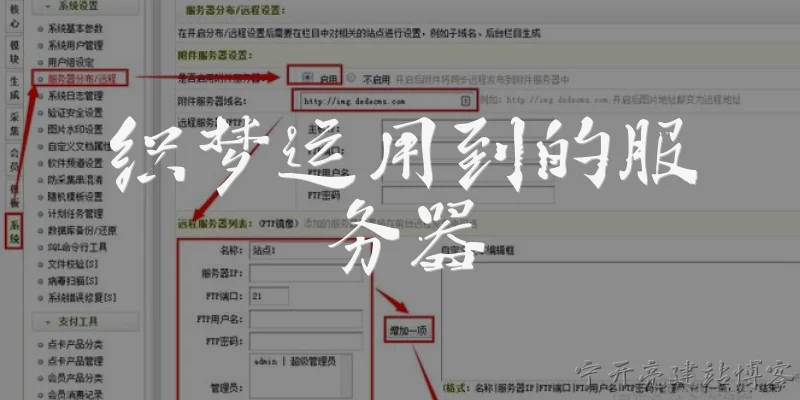
Dialogue about
Common scenarios of "Servers used by DedeCMS"
【Web Developer】 Hey, I'm trying to set up DedeCMS for a new project. What server environment does it typically run on?
【System Administrator】 DedeCMS is a PHP-based CMS, so it needs a web server like Apache or Nginx, a database like MySQL, and PHP. The most common stack is LAMP or LNMP.
【Web Developer】 LAMP or LNMP? Can you break that down a bit?
【System Administrator】 Sure. LAMP stands for Linux, Apache, MySQL, PHP. LNMP is Linux, Nginx, MySQL, PHP. Both are widely used with DedeCMS.
【Web Developer】 Which one is more recommended for DedeCMS?
【System Administrator】 Apache is often easier for beginners because of .htaccess support, but Nginx is more efficient for high-traffic sites. DedeCMS works well with both.
【Web Developer】 Does DedeCMS have any specific PHP version requirements?
【System Administrator】 DedeCMS 5.7 and later versions support PHP 5.6 up to PHP 7.4. However, PHP 8 may have compatibility issues unless you use a patched version.
【Web Developer】 I see. What about MySQL versions?
【System Administrator】 MySQL 5.5 or higher is recommended. MariaDB also works fine as a drop-in replacement.
【Web Developer】 Are there any other server components needed, like caching or extensions?
【System Administrator】 You might need GD library for image processing, cURL for remote requests, and optionally Memcached or Redis for caching. Also, mod_rewrite for Apache if you want pretty URLs.
【Web Developer】 Can DedeCMS run on Windows servers?
【System Administrator】 Yes, it can run on Windows with IIS, but it's less common and may have more quirks. Linux is generally preferred for stability and performance.
【Web Developer】 What about shared hosting? Many shared hosts offer PHP and MySQL. Will DedeCMS work there?
【System Administrator】 Usually yes, as long as the host meets the minimum requirements. But some shared hosts restrict certain functions, so check for compatibility.
【Web Developer】 Are there any server configurations I should tweak for better performance?
【System Administrator】 Adjust PHP memory_limit to at least 128M, set max_execution_time higher for large operations, and enable OPcache. For Nginx, configure fastcgi_cache if needed.
【Web Developer】 Thanks, that's very helpful. I'll go with LNMP for now.
【System Administrator】 Good choice. Let me know if you run into any issues during installation.