Foreign page layout:What is foreign page layout and why is it important in web design?
Q: What is foreign page layout and why is it important in web design?
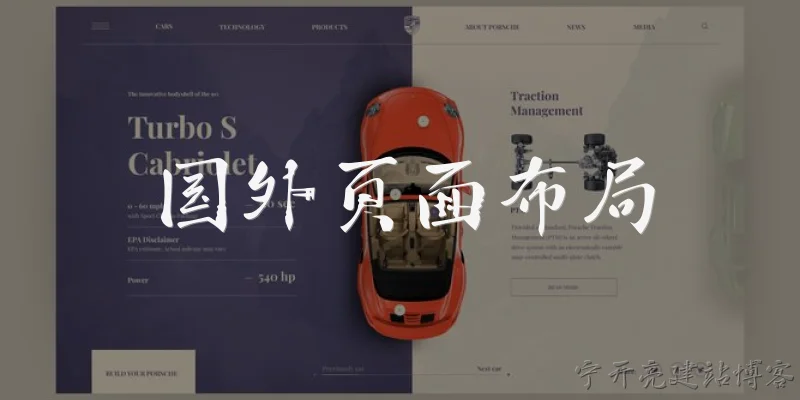
A: Foreign page layout refers to the design and structural arrangement of web pages intended for audiences in different countries or languages. It is important because a layout that works well for one culture may not suit another due to variations in reading direction, text length, and visual preferences. For example, right-to-left languages like Arabic or Hebrew require mirrored layouts, while languages such as German or Finnish often have longer words that demand flexible containers. Proper foreign page layout ensures that content remains readable, navigation stays intuitive, and the overall user experience feels natural to the target audience. Ignoring these considerations can lead to broken designs, confusion, and reduced engagement. Therefore, internationalization and localization must start at the layout level, not just in translation.
Q: How does text direction affect foreign page layout?
A: Text direction has a profound impact on foreign page layout. In left-to-right (LTR) languages like English or Chinese, the eye naturally starts from the top-left and moves right and down. In right-to-left (RTL) languages such as Arabic, Hebrew, or Urdu, the entire flow reverses. This means that navigation menus, progress bars, form labels, and sidebars should be mirrored. Simply translating text without adjusting the layout can make an interface feel awkward or even unusable. For example, a back button placed on the left in an LTR layout should html">appear on the right in an RTL layout. Many modern CSS frameworks support logical properties like inline-start and inline-end, which automatically adapt to direction. Designers must test their layouts in both directions to ensure visual balance and intuitive interactions.
Q: What are common challenges when adapting page layout for foreign languages?
A: Common challenges when adapting page layout for foreign languages include text expansion, script differences, and cultural color meanings. Text expansion is a major issue: a short English phrase can become 30% longer in German or 50% longer in French, causing buttons, tabs, and menus to overflow. Script differences, such as Cyrillic, Arabic, Japanese, or Devanagari, require different font sizes, line heights, and character spacing to maintain readability. Cultural color meanings also matter: white signifies purity in many Western cultures but mourning in parts of Asia, and red can mean danger in some regions but good luck in China. Additionally, date formats, number formats, and currency symbols vary. Designers must use flexible grids, avoid fixed widths, and test with real translated content. Without addressing these challenges, foreign page layouts risk looking unprofessional and frustrating users.
Q: What best practices should be followed for foreign page layout?
A: Best practices for foreign page layout begin with a flexible, responsive grid that can accommodate text expansion and contraction without breaking. Use relative units like em, rem, or percentages instead of fixed pixels. Keep navigation and key interactive elements in predictable positions, but allow for mirroring in RTL locales. Provide ample whitespace to handle longer text and different line heights. Choose fonts that support multiple scripts, or use font stacks with fallbacks. Avoid embedding text in images, as this cannot be translated easily. Test layouts with pseudo-localization tools that simulate longer text and RTL direction. Finally, involve native speakers in usability testing to catch cultural and linguistic issues. By following these practices, you create foreign page layouts that are robust, accessible, and welcoming to global audiences.
Words of experience
Common scenarios of "Foreign page layout"
【Designer】 Hey, I've been working on the layout for our new international landing page. I think we need to reconsider the grid system for different languages.
【Developer】 Good point. I've noticed that German text tends to be longer, so our current 12-column grid might cause overflow. What are you thinking?
【Designer】 I'm thinking of using a more flexible grid that adapts to text length. Maybe CSS Grid with auto-fill and minmax?
【Developer】 That could work, but we also need to consider RTL languages like Arabic. The entire layout should mirror.
【Designer】 Absolutely. I'll design with logical properties like margin-inline-start instead of left/right. That should make RTL easier.
【Developer】 Great. Also, font sizes and line heights might need adjustments for languages like Chinese or Japanese, where characters are denser.
【Designer】 Yes, I'll create a typographic scale that uses relative units and maybe language-specific overrides.
【Developer】 We should also test with actual translations. I can set up a pseudo-localization tool to simulate text expansion.
【Designer】 That would be super helpful. Let's also think about images and icons. Some might be culturally sensitive or need flipping in RTL.
【Developer】 Right. I'll add a class for directional icons that can be flipped with CSS transform: scaleX(-1) when needed.
【Designer】 Perfect. What about the navigation? In some cultures, horizontal menus are fine, but vertical might be more familiar?
【Developer】 We could use a responsive approach: horizontal on desktop, vertical on mobile, and maybe allow a setting for user preference.
【Designer】 I like that. Also, color meanings vary. For example, red means good luck in China but danger in the West. We should be careful with accent colors.
【Developer】 Agreed. We can make the color scheme configurable per locale, or use neutral colors for global appeal.
【Designer】 Let's go with neutral base and allow localized accent colors. I'll document that in the design system.
【Developer】 I'll also ensure that the layout is tested with screen readers in different languages, as reading order might change.
【Designer】 Good call. Accessibility is crucial. Maybe we can use ARIA landmarks with language attributes.
【Developer】 Exactly. I'll add lang attributes dynamically based on the selected locale.
【Designer】 Alright, I'll revise the mockups with these considerations and share them by tomorrow.
【Developer】 Sounds good. I'll start prototyping the flexible grid and RTL support in the meantime.